
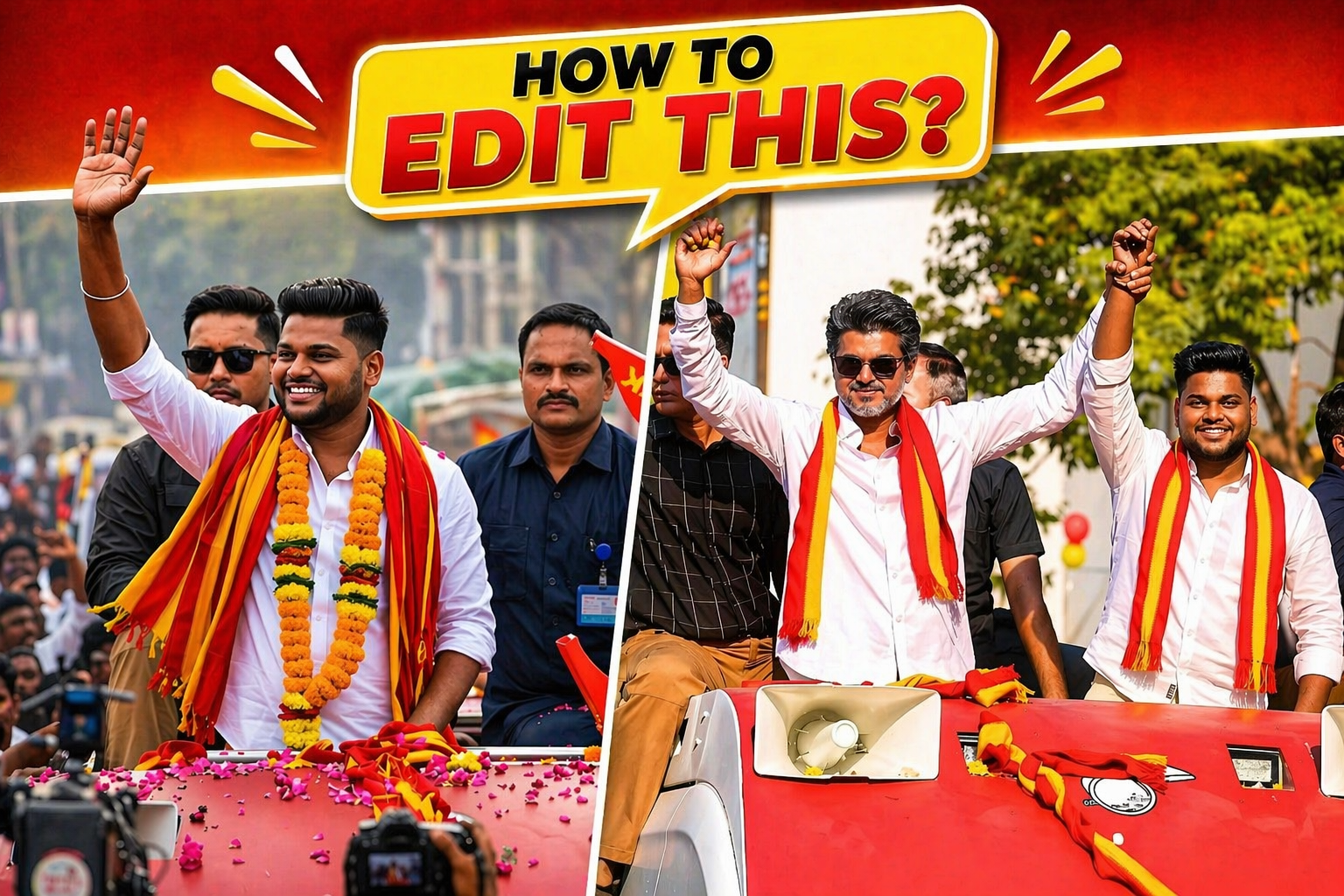
Want to create edits like this trending political rally thumbnail? 🔥 Here are the best AI editing apps that creators are using right now for photo edits, video edits, thumbnails, reels, posters, and cinematic effects.
Whether you want to make a rally photo look ultra-realistic, remove backgrounds, add people into images, create movie-style color grading, or design a viral thumbnail, these apps can do it all. 🎨✨
📸 Best AI Photo Editing Apps
1. ChatGPT Image Editor 🤖
If you want to replace faces, change backgrounds, add people into a photo, or create a completely new realistic image from a prompt, ChatGPT image editing is one of the best options right now.
✅ Best for:
- Face swap style edits
- Political rally posters
- Thumbnail creation
- Photo enhancement
- Ultra-realistic image generation
💡 Example: Upload two photos and ask it to create a realistic rally scene with better lighting, crowd, scarf colors, and cinematic background.
2. Picsart AI ✨
Picsart is perfect if you want quick edits directly on mobile. It has AI background remover, AI replace, filters, text effects, and thumbnail tools.
🔥 Features:
- Remove background in one tap
- Add stylish text and stickers
- AI Expand for increasing image size
- Trendy thumbnail templates
📱 Best for beginners who want fast Instagram or YouTube style edits.
3. Canva AI 🎨
Canva is one of the easiest apps for making thumbnails, posters, banners, and website images.
You can simply drag your photos, add bold text like “HOW TO EDIT THIS?”, and instantly create a professional design.
✅ Best Canva AI Tools:
- Magic Design
- Background Remover
- AI Text Generator
- Thumbnail Templates
- Poster & Banner Creator
💥 Perfect for website posts, blog covers, YouTube thumbnails, and social media graphics.
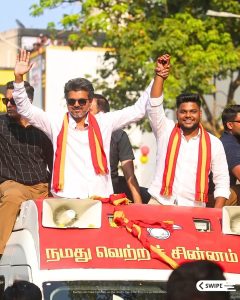
PROMPT 1
Capture an ultrarealistic 8K photograph (4:5 aspect ratio) of two South Indian men at a political roadshow under bright, warm sunlight. Utilise an 85mm cinematic lens style with a shallow depth of field, mimicking an ARRI Alexa or RED V-Raptor capture, ensuring realistic shadows, highlights, skin tones, and fabric textures with no noise or artefacts.Person A@img1 (left) must have 100% identity lock to the original image, preserving his face, hairstyle, salt-and-pepper beard, sunglasses, expression, outfit, and red-and-yellow flower garland without any modifications.Replace Person B@img1 (right) in the reference image with my own image@img2 that I uploaded, which must also have 100% identity lock, maintaining his hairstyle, facial hair, skin tone, and expression. He should wear a white linen shirt, beige pants, and the same red-and-yellow scarf from the reference image, accurately replicating its colour, pattern, fabric texture, and draping. He should naturally hold and raise Person A’s hand.Both men should stand closely, posing confidently. The environment (road, crowd, security) should remain unchanged, providing realistic depth with a slightly blurred background.Negative Prompt: No alterations to Person A; no changes to the garland, accessories, or sunglasses; no identity distortion; they must be touching hands; no blurriness except in the background; high quality only; no cartoon, CGl, or painting effects; no face morphing, extra limbs, or duplicate faces; ensure realistic lighting; no HDR; no over-sharpening; no watermarks, text, or logos.
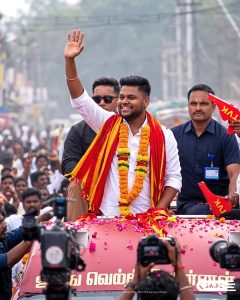
PROMPT 2
Create a photorealistic, high-resolution candid press photograph of a young man standing upright on the roof of a moving open-top vehicle during a large festive political rally procession in India. The central subject is wearing a crisp, clean white full-sleeve cotton dress shirt with the sleeves slightly rolled up at the forearms exuding an energetic and approachable demeanor. Draped over both shoulders and across the chest are vibrant, flowing traditional scarves – one deep crimson red and one bright golden yellow – layered loosely and billowing slightly in the breeze. Around the neck hang multiple thick, lush garlands of fresh marigold flowers in vivid orange and yellow, stacked generously. The subject is captured mid-wave, right arm raised high with an open palm greeting the crowd, and wearing a wide, genuine, charismatic smile – eyes slightly squinted from the joy of the moment. The roof of the vehicle is a deep maroon/magenta color, strewn with scattered fresh flower petals – pink rose petals and red
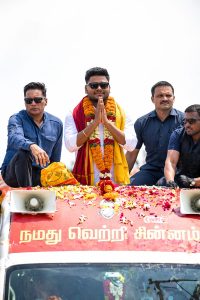
PROMPT 3
Create a photorealistic, high-resolution candid press photograph of a man standing upright on the roof of a moving open-top vehicle during a large festive political rally procession in India. The central subject is wearing a crisp, clean, white full-sleeve cotton dress shirt, exuding a calm, dignified, and respectful demeanor. The subject is wearing sleek black tinted sunglasses. Both hands are pressed together in a graceful Namaste greeting gesture – palms flat together at chest level, fingers pointing upward – conveying
deep respect and acknowledgment toward the crowd. A thin gold bracelet is visible on the left wrist. Draped over the shoulders and chest are layered traditional scarves – one deep crimson red and one bright golden yellow – loosely arranged. Around the neck hang multiple thick, lush, stacked garlands of fresh flowers – vivid orange and yellow marigolds, deep red rose garlands, and white jasmine flowers – layered heavily and cascading down the chest. The subject has a short, neatly trimmed be
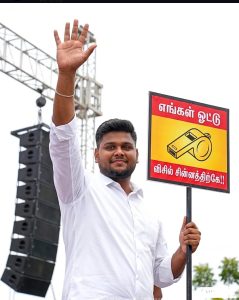
PROMPT 4
Create a photorealistic, high-resolution candid press photograph of a man@img2 standing elevated at a large outdoor political rally event in India, captured in a powerful, commanding, and celebratory moment. The central subject is wearing a crisp, clean white full-sleeve cotton dress shirt, collar slightly open at the top, sleeves neatly worn down to the wrists, exuding a confident and energetic presence. The subject has short, neatly styled dark hair with subtle salt-and-pepper temples, a short, neatly trimmed beard, and a warm, composed half-smile directed slightly off-camera to the left. The left arm is raised high and fully extended upward with an open palm – all five fingers spread wide – in a clear, open-handed wave greeting toward the crowd. A thin delicate silver bracelet is visible on the raised left wrist. The right hand is firmly gripping a vertical black metal pole or handle, holding up a square campaign placard sign at approximately chest-to-shoulder height. The placard is a square board with a b
🎬 Best AI Video Editing Apps
1. CapCut AI 🎥
CapCut is currently the most popular app for editing reels, shorts, political videos, and viral content.
🔥 Why people love it:
- Auto captions
- AI effects
- Trending transitions
- Background removal
- One-click cinematic edits
✅ Perfect for:
- Instagram Reels
- YouTube Shorts
- Political campaign edits
- Fast editing on mobile
2. VN Video Editor ⚡
VN is very easy to use and gives professional results without watermark.
💡 Best for creators who want:
- Smooth transitions
- Beat sync edits
- Text animations
- Fast export in HD
3. InShot 🎞️
InShot is best for quick video edits, especially if you want to post on Instagram, WhatsApp Status, or YouTube Shorts.
✨ Features:
- Add music
- Add stylish text
- Crop and resize videos
- Blur background
- Easy transitions
🏆 Best Apps for Different Uses
- For thumbnail editing → Canva AI + Picsart 🎨
- For realistic photo edits → ChatGPT Image Editor + Photoshop AI 🤖
- For photo quality increase → Remini 📷
- For viral reel editing → CapCut AI 🎥
- For professional video editing → Filmora AI + DaVinci Resolve 🎬
- For beginners → Picsart + InShot + Canva ✨
💡 Pro Editing Tips
🔴 Use bold red and yellow colors for more attention.
🟡 Keep the main text short:
- HOW TO EDIT THIS?
- BEST AI EDITING APP
- VIRAL PHOTO EDIT
⚡ Make the people in the photo larger and keep the text smaller.
🎯 Add a pop-up style speech bubble to make the thumbnail look more clickable.
📈 Always use high contrast, bright lighting, and sharp face details to increase clicks.
🔥 Final Recommendation
If you want the easiest and fastest setup:
- Enhance the image in Remini 📷
- Edit the photo in ChatGPT or Picsart 🤖
- Add text and thumbnail design in Canva 🎨
- Make a reel version in CapCut 🎥
That combination is currently the best way to create viral-style edits in 2026. 🚀