
✨ Introduction
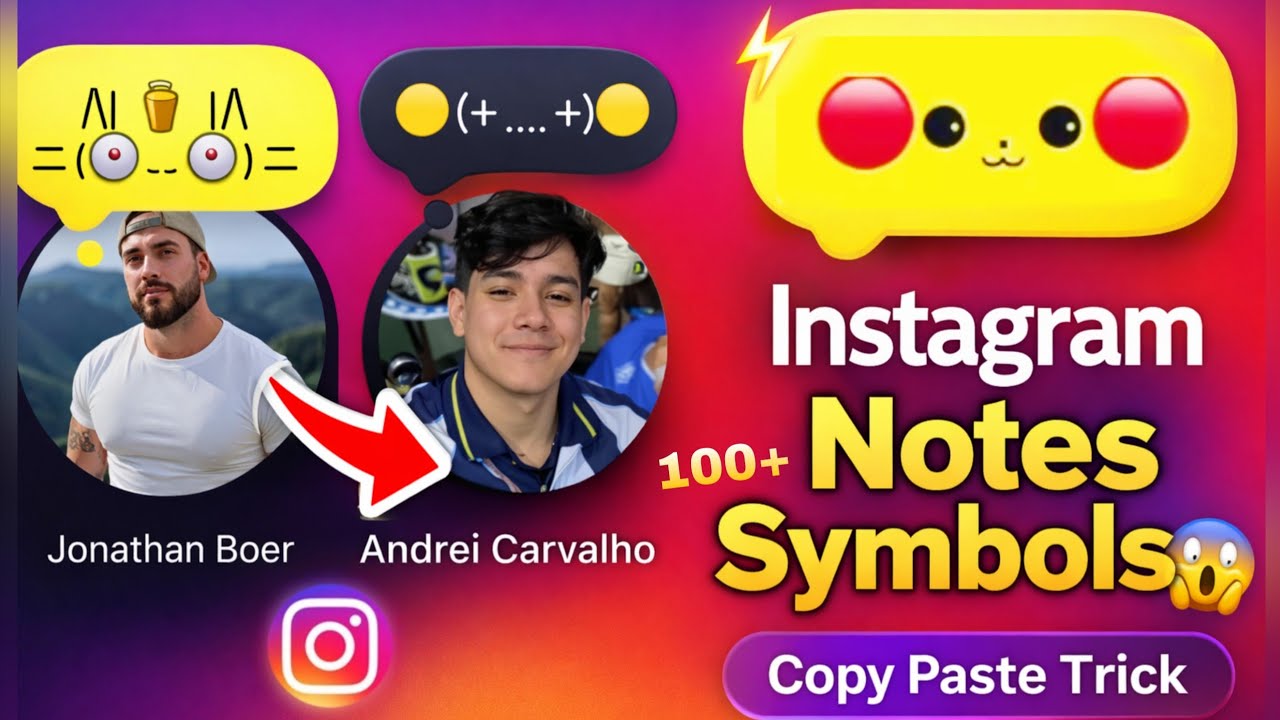
Instagram is constantly evolving with new trends, and one of the latest viral tricks is the “2 Emoji on DP” effect 😍🔥
You may have noticed profiles where two emojis appear glowing in yellow color above the profile picture 👀✨
💡 This effect looks stylish, eye-catching, and is now trending across reels and stories!
In this article, you’ll learn how to create this effect step-by-step, even if you’re a beginner ✅
📌 What is the Instagram Emoji DP Trend? 🤔
This trend is a visual trick where:
-
2 emojis (🔥😍✨) are placed on top of your DP
-
It looks like a blended yellow glow effect
-
Makes your profile look premium & viral-ready 🚀
💥 Many creators use this to:
-
Increase profile visits 📈
-
Stand out in comments 💬
-
Look trendy & modern 😎
🛠️ Method 1: Instagram Notes Trick (Easy Way) 🟢
Follow these steps 👇
1️⃣ Open Instagram app 📱
2️⃣ Go to DM (Direct Messages) 💬
3️⃣ At the top, tap “Your Note”
4️⃣ Add 2 emojis (example: 🔥😍)
5️⃣ Tap Share
✅ Done! Your emoji will appear near your profile in chats
⚠️ Note: This is temporary and only visible in DMs
🎨 Method 2: DP Editing Trick (BEST METHOD 🔥)
This is the real viral trick everyone is using 👇
📲 Step-by-Step:
1️⃣ Open PicsArt / Canva / any editing app 🧑💻
2️⃣ Import your profile picture
3️⃣ Tap on “Add Text / Sticker”
4️⃣ Choose 2 emojis (🔥😍✨)
Pikachu: 🔴⚈ ․̫ ⚈🔴
· Wobbuffet: >〰<
· Ditto: ·—·
· Pikachu: Ϟ(๑⚈ ․̫ ⚈๑)
· Snorlax: (๑-_-๑)
· Clefairy: ◀︎ ̥𐄀৩̫𐄀 ̥▶︎
· Scorbunny: ε ◕ エ ◕ 3
· Scraggy: (0皿0)
· Wooper: >(ˊ︶ˋ)<
· Makuhita: (。◝‿◜。)
· Wobbuffet: (>﹏<)
· Goomy: ( ○ `~´ ○)
· Chinchou: `(+﹏+)′
· Trubbish: ╭( 0 ϖ 0 )╮
· Gulpin: ω( ´3`)ω
· Greninja: ◥θ┴θ◤
· Reuniclus: (Oₒ(⁰・▲・⁰)ₒO)
· Gloom: ( / ﹃ \ )
· Furret: (=︒w︒=)
· Rotom: w φ w
· Magnemite: ⊃(⊙)⊂
· Meowth: (=①ω①=)
· Clodsire: ⊂(·_____·)⊃
· Bellsprout: ˙◎˙
· Poliwag: .゚꩜゚
· Diglett: ∫•⬬•ʅ
· Dugtrio: ∫•⬬•ʅ ∫•⬬•ʅ∫•⬬•ʅ
✨ Now Apply These Settings (IMPORTANT):
-
🟡 Color: Yellow tone (for glow effect)
-
🌟 Opacity: 70–85%
-
💡 Blend Mode: Screen / Lighten
-
🔥 Shadow/Glow: Enable for highlight
5️⃣ Place emojis:
-
Top center of DP 🎯
-
Keep it small & clean
6️⃣ Save image 💾
7️⃣ Upload as Instagram profile picture
💡 Pro Tips for Viral Look 🚀
✔️ Use trending emojis:
🔥 😍 ✨ 💛 😎
✔️ Keep background simple
✔️ Don’t use too many emojis ❌
✔️ Use glow effect for “yellow blend” style 🟡
✔️ Use HD image quality 📸
📈 Why This Trick is Going Viral? 🔥
-
Makes your profile unique 😍
-
Attracts more clicks 👀
-
Used by influencers & creators 💯
-
Looks like a hidden Instagram feature 🤯
-
best social media marketing tips
-
grow instagram followers fast
-
online earning apps 2026
-
digital marketing strategies
-
affiliate marketing for beginners
-
earn money from instagram
-
crypto trading apps
-
stock market investment guide
-
passive income ideas online
-
blogging for money
❓ FAQs (SEO Boost) 📊
🔹 Is this an official Instagram feature?
👉 No, it’s a creative editing trick + notes feature
🔹 Which app is best for this?
👉 PicsArt, Canva, Photoshop 📱
🔹 Can I use more than 2 emojis?
👉 Yes, but 2 emojis look more clean & trending ✅
🔹 Does it increase followers?
👉 It helps attract attention, which can increase profile visits 📈
📢 Conclusion 🎯
The Instagram 2 Emoji DP Trend is simple, creative, and powerful 🔥
By using this trick, you can make your profile:
-
Stylish 😎
-
Attractive 👀
-
Trendy 🚀
👉 Try it now and stand out on Instagram!