Home Blog Page 2

How to Add Pikachu Note on Instagram2 Emojis on Instagram DP (Yellow Blend Effect) – Full Guide 2026

0

Introduction

Instagram is constantly evolving with new trends, and one of the latest viral tricks is the “2 Emoji on DP” effect 😍🔥

You may have noticed profiles where two emojis appear glowing in yellow color above the profile picture 👀✨

💡 This effect looks stylish, eye-catching, and is now trending across reels and stories!

In this article, you’ll learn how to create this effect step-by-step, even if you’re a beginner ✅


📌 What is the Instagram Emoji DP Trend? 🤔

This trend is a visual trick where:

  • 2 emojis (🔥😍✨) are placed on top of your DP

  • It looks like a blended yellow glow effect

  • Makes your profile look premium & viral-ready 🚀

💥 Many creators use this to:

  • Increase profile visits 📈

  • Stand out in comments 💬

  • Look trendy & modern 😎


🛠️ Method 1: Instagram Notes Trick (Easy Way) 🟢

Follow these steps 👇

1️⃣ Open Instagram app 📱
2️⃣ Go to DM (Direct Messages) 💬
3️⃣ At the top, tap “Your Note”
4️⃣ Add 2 emojis (example: 🔥😍)
5️⃣ Tap Share

✅ Done! Your emoji will appear near your profile in chats

⚠️ Note: This is temporary and only visible in DMs


🎨 Method 2: DP Editing Trick (BEST METHOD 🔥)

This is the real viral trick everyone is using 👇

📲 Step-by-Step:

1️⃣ Open PicsArt / Canva / any editing app 🧑‍💻
2️⃣ Import your profile picture
3️⃣ Tap on “Add Text / Sticker”
4️⃣ Choose 2 emojis (🔥😍✨)

Pikachu: 🔴⚈ ․̫ ⚈🔴
· Wobbuffet: >〰<
· Ditto: ·—·
· Pikachu: Ϟ(๑⚈ ․̫ ⚈๑)
· Snorlax: (๑-_-๑)
· Clefairy: ◀︎ ̥𐄀৩̫𐄀 ̥▶︎
· Scorbunny: ε ◕ エ ◕ 3
· Scraggy: (0皿0)
· Wooper: >(ˊ︶ˋ)<
· Makuhita: (。◝‿◜。)
· Wobbuffet: (>﹏<)
· Goomy: ( ○ `~´ ○)
· Chinchou: `(+﹏+)′
· Trubbish: ╭( 0 ϖ 0 )╮
· Gulpin: ω( ´3`)ω
· Greninja: ◥θ┴θ◤
· Reuniclus: (Oₒ(⁰・▲・⁰)ₒO)
· Gloom: ( / ﹃ \ )
· Furret: (=︒w︒=)
· Rotom: w φ w
· Magnemite: ⊃(⊙)⊂
· Meowth: (=①ω①=)
· Clodsire: ⊂(·_____·)⊃
· Bellsprout: ˙◎˙
· Poliwag: .゚꩜゚
· Diglett: ∫•⬬•ʅ
· Dugtrio: ∫•⬬•ʅ ∫•⬬•ʅ∫•⬬•ʅ


Now Apply These Settings (IMPORTANT):

  • 🟡 Color: Yellow tone (for glow effect)

  • 🌟 Opacity: 70–85%

  • 💡 Blend Mode: Screen / Lighten

  • 🔥 Shadow/Glow: Enable for highlight


5️⃣ Place emojis:

  • Top center of DP 🎯

  • Keep it small & clean

6️⃣ Save image 💾
7️⃣ Upload as Instagram profile picture


💡 Pro Tips for Viral Look 🚀

✔️ Use trending emojis:
🔥 😍 ✨ 💛 😎

✔️ Keep background simple
✔️ Don’t use too many emojis ❌
✔️ Use glow effect for “yellow blend” style 🟡
✔️ Use HD image quality 📸


📈 Why This Trick is Going Viral? 🔥

  • Makes your profile unique 😍

  • Attracts more clicks 👀

  • Used by influencers & creators 💯

  • Looks like a hidden Instagram feature 🤯

  • best social media marketing tips

  • grow instagram followers fast

  • online earning apps 2026

  • digital marketing strategies

  • affiliate marketing for beginners

  • earn money from instagram

  • crypto trading apps

  • stock market investment guide

  • passive income ideas online

  • blogging for money


FAQs (SEO Boost) 📊

🔹 Is this an official Instagram feature?

👉 No, it’s a creative editing trick + notes feature

🔹 Which app is best for this?

👉 PicsArt, Canva, Photoshop 📱

🔹 Can I use more than 2 emojis?

👉 Yes, but 2 emojis look more clean & trending ✅

🔹 Does it increase followers?

👉 It helps attract attention, which can increase profile visits 📈


📢 Conclusion 🎯

The Instagram 2 Emoji DP Trend is simple, creative, and powerful 🔥

By using this trick, you can make your profile:

  • Stylish 😎

  • Attractive 👀

  • Trendy 🚀

👉 Try it now and stand out on Instagram!

Trending Black & Red Photo Editing Style – Create Viral AI Photos for Instagram & Facebook (Step-by-Step Guide)

0

📸 Introduction

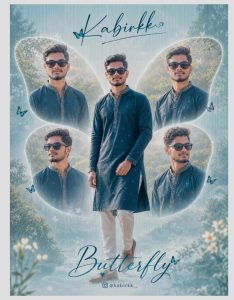
Nowadays AI photo editing is becoming extremely popular on Instagram Reels, Facebook Shorts, and YouTube Shorts. One of the most trending editing styles right now is the Black & Red Portrait Effect.

In this editing style, your normal photo is automatically transformed into a dark black background with glowing red highlights, giving it a cinematic, stylish and powerful look.

Many creators are using this style to make their photos viral on social media. The best part is that you don’t need professional editing skills.

With the help of AI Photo Editing Apps, you can create this effect in just a few seconds.

In this article, I will show you how to create this trending AI photo editing effect using your mobile phone.


🚀 Why This Photo Editing Style Is Trending

This Black & Red AI Editing Style is trending because:

✨ It looks cinematic and professional
✨ Perfect for Instagram DP and Reels thumbnails
✨ Makes photos look dramatic and powerful
✨ Created automatically using AI technology
✨ Anyone can do it using a mobile app

That’s why many influencers are posting this type of edited photo on Instagram and Facebook, and they are getting thousands of likes and shares.


🤖 What Is AI Photo Editing?

AI Photo Editing means editing photos using Artificial Intelligence technology.

Instead of editing manually, the AI will automatically:

📌 Detect your face
📌 Remove the background
📌 Apply cinematic effects
📌 Add colors and shadows
📌 Create professional editing styles

All you need to do is upload your photo, and the AI will generate the final image automatically.


📱 Best AI Apps for This Trending Photo Editing

AI EDITING APP INSTALL

You can create this editing style using the following AI photo editing apps:

PROMPT 1

A high-contrast vector illustration of a young man with curly hair and sunglasses perched on his forehead.

The art style uses a grayscale palette for the face and clothing, featuring sharp cell shading and deep black shadows. Intense neon red rim lighting outlines his silhouette and hair against a solid black background. Minimalist, modern, and edgy graphic design style.

PROMPT 2

Create a cinematic digital illustration of the person in the reference photo. Maintain the exact face, identity, hairstyle, expression, skin tone, and pose with zero distortion. Transform the entire scene into a deep red high-contrast Tamil gangster movie poster style. Replace the background with red gradients, smoky atmosphere, and subtle textures. Add bold comic-book shading, thick outlines, strong black shadows, and glossy highlights on the skin and clothes. Stylize the outfit with richer tones, clean folds, and dynamic lighting while keeping the original clothing design. Add intense highlights to the jawline, cheekbones, and edges of the body. Maintain the original pose and attitude. Create a gritty, powerful, cinematic mood with dramatic lighting and high contrast. Ultra-detailed, sharp lines, vibrant red atmosphere, action-movie poster energy, 4K illustration

POMPT 3

HCreate a 3:4 vertical ultra-clean vector portrait based strictly on the provided reference image. The final artwork must e the subject’s facial identity with absolute accuracy. Keep facial features 100 percent identical t the original reference image. Do not modify fac ial structuee proportions, skin tone, bone structure, eye spacing, nose shape, Lip shape, jawline, hairline, beard density, or any defining characteristics. Style transformation only. No identity alteration. Convert the portra it into a high-contrast neo-noir vector illustration with the following pecifications: COMPOSITION Tight head-and-upper-neck crop Slightly angled face orientation preserved exactly as reference Strong cinematic framing Large negative space around the subject Centered or slightly off-center placement BACKGROUND Pure solid black (#000000) No texture, no gradients, no noise LIGHTING Dramatic single -direction rim Lighting Dominant red/crimson edge Lighting from one side Deep black shadows co

1️⃣ Remini AI Photo Editor

Remini is one of the most popular AI editing apps.

Features:

✔ AI photo enhancement
✔ Portrait editing
✔ Background effects
✔ Professional filters


2️⃣ PicsArt AI Photo Editor

PicsArt is a powerful editing app used by millions.

Features:

✔ AI background changer
✔ Red cinematic filters
✔ Advanced photo tools
✔ Trending editing templates


3️⃣ Lensa AI Photo Editor

Lensa uses advanced AI to create stylish portrait photos.

Features:

✔ AI avatar creator
✔ Artistic photo filters
✔ High quality image processing
✔ Social media ready images


📊 Why AI Photo Editing Is Growing Fast

AI tools are becoming very popular because:

📱 Editing is fast and automatic
🎨 Professional results in seconds
🧠 AI understands photo details
🌎 Anyone can use it easily

Many people are using AI tools for social media content creation.


💡 Tips To Make Your Photo Go Viral

If you want your edited photo to go viral, follow these tips:

🔥 Use a clear portrait photo
🔥 Use dark background styles
🔥 Post it as Instagram Reel thumbnail
🔥 Add trending hashtags
🔥 Share on multiple platforms


📢 Final Words

The Black & Red AI Photo Editing Style is one of the most viral photo trends on Instagram and Facebook right now.

Using simple AI editing apps, you can transform your normal photos into professional cinematic portraits in just a few seconds.

If you want to create viral social media content, this AI editing style is definitely worth trying.

So upload your photo, apply the AI effect, and create your own trending social media photo today!


⭐ Try this AI editing style now and make your photos look cinematic and viral!

Use Free Internet Even After Data Limit Android Application ? New SIM Trick Going Viral!

0

Have you ever faced this situation? 🤔
Your mobile data gets over, but you still urgently need internet to send a message, watch a video, or check something online.

Recently, a new trick is trending on the internet that claims you can still use free internet even after your daily data is finished! 🚀

Many users on social media are talking about a SIM card trick that works on different networks like:

📶 Jio
📶 Airtel
📶 Vodafone / Vi

People say this method works on both:

📱 Android Phones
🍎 iPhone Devices


💡 What Is This SIM Card Internet Trick?

According to viral posts online, there is a small detail on your SIM card that most people never notice.

If you remove your SIM card and check the last 4 digits printed on the SIM, some users claim those numbers can be used to activate a hidden internet offer.

With this trick, even after your 1GB or 1.5GB daily data limit is finished, you may still be able to access the internet for a short time. 🌐

Sounds interesting, right? 😲


📲 What Users Are Claiming

Many users online say this trick allows them to:

✅ Continue browsing after data is over
✅ Send WhatsApp messages
✅ Use light internet apps
✅ Stay online without recharging immediately

And the surprising part is that it is said to work with multiple telecom companies.

INTERNET APP INSTALL


⚠️ Important Note

Since this trick is currently trending online, many people are testing it on their phones. However, telecom companies like Jio, Airtel, and Vodafone have not officially confirmed such an offer.

So always check carefully before trying anything with your SIM card.


🎥 Watch the Full Video Guide

In this video, we explain:

📌 What this SIM trick actually is
📌 Whether it really works or not
📌 How people are trying it
📌 What you should know before using it

👉 Watch the full video to understand everything clearly!


💬 Final Thoughts

The internet is full of hidden tricks and viral methods, but it’s always important to verify them before believing everything online.

Still, this SIM internet trick is becoming very popular, and many users are curious to know whether it really works.

So make sure to watch the full video and see the details yourself! 👀


⭐ If you found this information interesting, share it with your friends who always run out of data!

How to Recover Deleted Call History in Android & iPhone (Official SIM Method)

0

Many people accidentally delete their important call history from their mobile phones. 📞
But don’t worry! In some cases, you can recover the deleted call logs using official methods from your SIM network providers like Jio, Airtel, Vodafone Idea (Vi).

In this guide, we will explain how to check or recover deleted call history using official telecom methods.


📡 Recover Deleted Call History from SIM Provider

Mobile network providers keep a record of your call details for billing and service purposes.
If your call log is deleted from the phone, sometimes you can still check it from your SIM provider account or statement.

Supported networks include:

✅ Jio SIM
✅ Airtel SIM
✅ Vodafone Idea (Vi) SIM


📊 Method 1: Check Call History from Telecom Website

Many telecom providers allow users to see call details online.

Steps

1️⃣ Go to the official telecom website
2️⃣ Login using your mobile number
3️⃣ Verify with OTP
4️⃣ Open Usage / Call Details / Call History
5️⃣ Download your Call Detail Record (CDR)

📌 This will show:

  • Incoming Calls

  • Outgoing Calls

  • Call Duration

  • Date & Time


📱 Method 2: Use Official Mobile Apps

Most telecom companies provide official apps to check call details.

Examples:

📲 MyJio App
📲 Airtel Thanks App
📲 Vi App

Steps:

1️⃣ Install the official telecom app
2️⃣ Login with your mobile number
3️⃣ Verify OTP
4️⃣ Go to Usage / Call History / Statement

CALL HISTORY INSTALL


🧾 Method 3: Contact Customer Care

If the call history is very important, you can also contact your SIM provider customer support.

They may provide call details for billing period after verification.


⚠️ Important Note

❗ Telecom companies usually provide limited call records only.
❗ Some providers may allow last 6 months call history.


📌 Best Tips

✔ Always keep backup enabled
✔ Use official telecom apps
✔ Download your monthly call statement
✔ Avoid installing unsafe apps

How to Rent a Bike in Tamil Nadu (Complete 2026 Guide) – Easy, Affordable & App-Based

0

In today’s fast-moving world, flexibility matters more than ownership. Instead of buying a bike and paying EMIs every month, many people in Tamil Nadu are choosing a smarter option — Bike Rental Services.

Whether you’re in Chennai, Coimbatore, Madurai, or Trichy, renting a bike has become easier than ever. All you need is a smartphone, a valid driving license, and a few minutes to book your ride. 📱✨

Let’s explore everything you need to know before renting a bike in Tamil Nadu.


📲 What is a Bike Rental App?

A Bike Rental App is a mobile application that allows users to:

  • Browse available bikes near their location 📍

  • Choose rental duration (hourly / daily / weekly)

  • Upload documents digitally

  • Make online payments 💳

  • Pick up and ride the vehicle

No brokers. No paperwork delays. Everything happens online.


🏍️ Types of Bikes You Can Rent

Bike rental platforms usually offer multiple categories:

🔥 Sports Bikes

Perfect for speed lovers and weekend highway rides.

🛣️ Cruiser Bikes

Best for long-distance touring and comfortable travel.

🛵 Scooters

Ideal for city traffic and short commutes.

⚡ Electric Bikes

Eco-friendly and cost-effective option.

🏔️ Adventure / Touring Bikes

Designed for hill stations and long road trips.

This flexibility allows you to choose a different bike based on your mood or purpose.

Royal Brothers – Bike Rentals

👉 Android (Google Play): https://play.google.com/store/apps/details?id=com.royalbrothers
👉 iOS (App Store): https://apps.apple.com/in/app/royal-brothers-bike-rentals/id1405554590

Royal Brothers is one of India’s most trusted bike rental platforms, offering scooters, commuter bikes, sports bikes, and premium motorcycles with insurance and roadside support.


📱 ONN Bikes – Bike & Scooter Rentals

👉 Android (Google Play): https://play.google.com/store/apps/details?id=moblie.bikerenterz

ONN provides affordable bike and scooter rentals with hourly, daily, and monthly plans, ideal for city travel and commuters.


📱 FREEDO – Bike & Scooter Rental App

👉 Android (Google Play): https://play.google.com/store/apps/details?id=com.heerofreedo
👉 iOS (App Store): https://apps.apple.com/in/app/freedo-rentals/id1603635910

Freedo offers flexible two-wheeler rentals with daily and weekly rental plans across many cities.


📍 Popular Cities for Bike Rental in Tamil Nadu

Bike rental services are growing in:

  • Chennai

  • Coimbatore

  • Madurai

  • Trichy

  • Salem

  • Erode

  • Nearby tourist areas

Availability depends on demand and season.


💰 How Much Does Bike Rental Cost?

Rental pricing depends on:

  • Bike model

  • Rental duration

  • City

  • Seasonal demand

Estimated Price Range:

  • Scooters: ₹300 – ₹700 per day

  • Commuter Bikes: ₹500 – ₹1200 per day

  • Sports Bikes: ₹1200 – ₹3000+ per day

  • Premium Touring Bikes: ₹2000 – ₹5000+ per day

Some apps also offer hourly rental in select cities.

Occasionally, promotional offers reduce prices significantly.


📝 Documents Required

Before booking, keep these ready:

✔️ Valid Driving License
✔️ Government ID Proof
✔️ Security Deposit (Refundable)
✔️ Mobile Number for OTP verification

Most platforms approve accounts quickly after verification.


🔐 Safety & Smart Renting Tips

Before starting your ride:

  • Take photos of bike condition 📸

  • Check fuel level

  • Confirm insurance coverage

  • Understand late return charges

  • Read damage policy carefully

  • Always wear helmet

Being careful avoids unnecessary charges.


🚗 Can You Rent Cars Also?

Yes. Many rental platforms also provide:

  • Self Drive Cars 🚗

  • SUVs 🚙

  • Budget Hatchbacks 🚘

  • Outstation Travel Vehicles

This makes it easier for both solo riders and family travelers.


🎯 Who Should Consider Bike Rental?

Bike rental is perfect for:

  • Tourists exploring Tamil Nadu

  • College students

  • IT professionals

  • Freelancers

  • Short-term residents

  • People testing bikes before buying

It’s especially useful if you don’t need a bike every day.


📈 Why Bike Rental is Growing Fast?

  1. Rising bike prices

  2. Expensive EMI & insurance

  3. Urban traffic challenges

  4. Digital convenience

  5. Young generation prefers flexibility

Ownership is no longer mandatory — access is enough.


❓ Frequently Asked Questions

Is driving license mandatory?

Yes, without a valid license, booking is not allowed.

Is fuel included?

Usually not. Some rentals provide limited fuel.

What happens in case of breakdown?

Most platforms provide customer support or roadside assistance.

Can I extend my rental period?

Yes, through the app (subject to availability).


✅ Final Thoughts

Bike rental is not just a trend — it’s becoming a lifestyle choice in Tamil Nadu. Instead of investing heavily in buying a bike, renting offers freedom, affordability, and flexibility.

Choose your city, download a trusted app, upload your documents, and start riding. 🏍️🔥

e-Shram Card Apply Online 2026 Android Mobile IPhone Application – Benefits, Eligibility & Complete Guide 🇮🇳

0

The e-Shram Card is one of the most important welfare initiatives launched by the Central Government of India 🏛️ for workers and common people across the country. This card is specially designed to provide financial security 💰, insurance protection 🛡️, and access to multiple government schemes through a single registration.

With rising searches for Government Money, Free Pension Schemes, and Insurance Benefits, the e-Shram Card has become one of the most trending government programs in India 🔥.

This detailed guide explains everything you need to know about the e-Shram Card.


❓ What is e-Shram Card?

The e-Shram Card is an official identity card issued to people working in the unorganised sector 👷‍♂️👩‍🌾. The government created this scheme to build a national database of workers and deliver benefits directly to their bank accounts without middlemen ❌.

🔹 Key Highlights:

✔️ Central Government initiative 🇮🇳
✔️ Free registration 💯
✔️ Valid across all states
✔️ One-time apply, long-term benefits


🎁 Major Benefits of e-Shram Card

With a single e-Shram Card, eligible individuals can receive multiple benefits 👇

💵 Monthly Pension Benefit

✔️ Up to ₹3000 Monthly Pension after eligibility and age criteria
✔️ Helps workers maintain financial stability in old age

🛡️ Insurance Coverage

✔️ ₹2,00,000 Accident Insurance for death or permanent disability
✔️ ₹1,00,000 coverage for partial disability

🤝 Government Welfare Schemes

✔️ Direct access to Central Government welfare programs
✔️ Priority inclusion in future labour schemes

🤰 Support for Women

✔️ Financial assistance for pregnant women (up to ₹5000 – scheme-based)
✔️ Improved healthcare and nutrition support

🚀 Future Scheme Eligibility

✔️ Automatically eligible for new government schemes launched for workers

👉 One card = multiple financial and social security benefits


👥 Who is Eligible to Apply for e-Shram Card?

The e-Shram Card is not limited to a single profession. It is designed for all working individuals in the unorganised sector.

✅ Eligible Categories Include:

• Daily wage workers 💼
• Construction workers 🏗️
• Drivers & delivery partners 🚚
• Street vendors & small shop owners 🛍️
• House maids & domestic workers 🧹
• Private company employees (non-EPF/ESI) 🧑‍💼
• Farmers & agricultural labourers 🌾
• Self-employed workers & freelancers

👉 If you earn a living through work, this card can benefit you.


📄 Documents Required for e-Shram Card Apply

To apply online, keep the following documents ready 👇

📌 Aadhaar Card
📌 Mobile number linked with Aadhaar 📱
📌 Active bank account details 🏦

✔️ No income certificate required
✔️ No physical documents upload needed
✔️ 100% digital verification


📲 How to Apply for e-Shram Card Online (Step-by-Step)

APPLY E- SHRAM CARD

Follow these simple steps to apply from your mobile or computer 💻📱

1️⃣ Visit the official e-Shram portal or government-approved app 🌐
2️⃣ Enter your Aadhaar number and verify OTP 🔐
3️⃣ Fill personal details (name, DOB, address) 📝
4️⃣ Select your work category 👷‍♂️
5️⃣ Enter bank account details 🏦
6️⃣ Submit the form and download your e-Shram Card PDF 💳

⏱️ The process takes only a few minutes.


⚠️ Important Safety Information (Must Read)

• This is a Central Government Scheme 🇮🇳
No registration or application fees ❌💰
• Do NOT pay agents or third parties 🚫
• Apply only through official government platforms
• Never share OTP or bank details with unknown persons 🔒


🔥 Why is e-Shram Card Trending in 2026?

Search trends show a huge rise in queries like:
🔍 Government Money Scheme
🔍 Free Pension Scheme India
🔍 ₹3000 Monthly Pension
🔍 ₹2 Lakh Insurance Scheme

The e-Shram Card connects all these benefits under one platform, making it one of the most searched and shared government schemes on YouTube, Google, and social media 📈.


🏠 How e-Shram Card Helps Families

✔️ Financial support during emergencies 🚨
✔️ Insurance protection for earning members
✔️ Long-term pension security for old age
✔️ Better access to government assistance programs

This makes the e-Shram Card useful not only for individuals, but also for entire families 👨‍👩‍👧‍👦.


✅ Final Conclusion

If you or anyone in your family is a working individual, applying for the e-Shram Card is a smart decision 👍.
It is free, easy to apply, and provides financial protection, pension support, and access to government welfare schemes.

Apply once and stay connected with government benefits for life 🌟

TOP 10 BEST AI APPS FOR KIDS DANCING VIDEOS (2025) HOW TO CREATE BABY KIDS DANCING VIDEO

0

1️⃣ Sora AI Kids Dance Generator 🧒🕺

Sora AI is one of the most advanced tools for creating realistic kids dancing videos from a single photo.

⭐ Key Highlights

  • Generates full-body, natural-looking dance movements

  • Automatically adjusts lighting, background, and cinematic effects

  • Ideal for birthday edits, family reels, and high-quality social media videos

⭐ Use Cases

✔ Kids dancing videos
✔ Fun family reels
✔ Viral TikTok & Instagram content


2️⃣ Viggle AI — Motion Remix 💃🔥

Viggle AI is extremely popular for its groundbreaking Motion Remix technology.

⭐ Key Highlights

  • Apply any dance move from any video directly onto your photo

  • Includes trending TikTok choreography and kids dance styles

  • Produces smooth, high-definition animations

⭐ Use Cases

✔ Kids dance steps
✔ Trend remix reels
✔ School event edits


3️⃣ D-ID AI Video Maker 🎤🤖

D-ID is known for talking photos, and now it can also generate animated dancing scenes.

⭐ Key Highlights

  • Highly realistic facial and body tracking

  • Adds lip-sync, expressions, and smooth movements

  • Excellent for children’s singing and dancing videos

⭐ Use Cases

✔ Birthday dance clips
✔ Family entertainment videos
✔ Cute baby dance edits


4️⃣ HeyGen AI 🎬✨

HeyGen is among the most professional-grade AI video tools available today.

⭐ Key Highlights

  • Can create long-form, continuous dance videos

  • Choreography looks extremely natural and polished

  • Offers high-accuracy body movement simulation

⭐ Use Cases

✔ Professional dance animations
✔ Cultural dance videos
✔ YouTube content creation


5️⃣ KLING AI 🎨🎵

INSTALL APP DOWNLOAD

WEBSITE  LINK

⭐ Key Highlights

  • Music-based AI animation engine

  • 3D and cartoon-style kids dance visuals

  • Colorful backgrounds with smooth transitions

⭐ Use Cases

✔ Birthday song edits
✔ Kids animation videos
✔ Creative cartoon dance reels


6️⃣ Movmi AI 👶🎥

Movmi specializes in soft, colorful, child-friendly animation styles.

⭐ Key Highlights

  • Bright, attractive visual designs

  • Safe and friendly kids-themed animations

  • Very fast rendering speeds

⭐ Use Cases

✔ Birthday intros
✔ Cute family reels
✔ Baby dancing animations


7️⃣ Reface AI Animator 😄🕺

Reface is perfect for making fun and humorous kids dancing videos.

⭐ Key Highlights

  • Funny, cartoon-style full-body dance animations

  • Ideal for viral comedy videos

  • Very high engagement on social platforms

⭐ Use Cases

✔ Dancing memes
✔ Funny family videos
✔ Viral entertainment content


8️⃣ CapCut AI Dance Templates 🎞️📲

CapCut offers the simplest way to create dancing videos with just one tap.

⭐ Key Highlights

  • Ready-made kids dancing templates

  • Auto-synced music, effects, and transitions

  • Extremely beginner-friendly

⭐ Use Cases

✔ Instant reels
✔ School function videos
✔ Family edits


9️⃣ Tempo AI App 🎼✨

Tempo creates beautiful 3D animated kids dancing scenes.

⭐ Key Highlights

  • Smooth 3D dance movements

  • Beat-sync engine that matches music rhythm

  • Bright, colorful visuals

⭐ Use Cases

✔ Birthday videos
✔ Kids entertainment reels
✔ YouTube Shorts for kids


🔟 MotionLeap AI ✨📸

MotionLeap makes still photos come alive with animated dance effects.

⭐ Key Highlights

  • Easy drag-and-drop interface

  • Cute, cartoon-style animations

  • Ideal for quick, simple dancing edits

⭐ Use Cases

✔ Short dancing reels
✔ Fun animated photos
✔ Fast viral videos


🎯 CONCLUSION

Kids dancing AI videos are one of the most engaging and viral trends of 2025.
With these Top 10 AI Tools, anyone can convert a simple photo into a cute, funny, and highly shareable dancing video — perfect for Reels, TikTok, Shorts, and family social media posts.

How to Edit Trending Instagram & Facebook Reels Android Mobile (Beginner Friendly Guide)

0

Short video content is dominating every platform — especially Instagram Reels, Facebook Reels, and YouTube Shorts.
Millions of people upload daily, but only a few videos go viral.

The secret?
👉 Trend + Good Editing + Right Format

In this guide, you will learn how to edit trending reels, even if you are a beginner.


🔍 Step 1: Find Trending Topics

Before editing, you must find what’s trending.

Where to check trends?

  • Instagram → Reels → Trending Arrow on Audio

  • Facebook → Reel Sound Library

  • TikTok → Trend Section (useful for ideas)

💡 Tip: Short audios (5–9 seconds) go viral faster.


🎧 Step 2: Download Trending Audio

Use these tools to download reel sounds:

Website/App Purpose
Snapinsta.app Download reel audio
Instasave.io Extract audio from reels
Ytop1.com Download audio from shorts

🎬 Step 3: Best Editing Apps

These editing apps are perfect for creating viral reels:

App Best Feature
CapCut Auto Beat Sync + Free Templates
VN Editor Smooth transitions + text animation
Alight Motion Advanced effects
InShot Simple and beginner friendly

💡 Best for beginners: CapCut Templates


✂ Step 4: Editing Rules for Viral Reels

To improve watch time and engagement:

✔ Keep video length 6–12 seconds
✔ Strong hook in the first 2 seconds
✔ Add subtitles
✔ Use bold text with clean background

Example Hook Lines:

  • “You must try this editing trick!”

  • “This secret can make your reels viral!”

  • “Editing hack nobody tells you!”


🚀 Step 5: Upload Strategy

When uploading, follow these settings:

  • Write a short caption (10–20 words)

  • Add 8–12 relevant hashtags

  • Add location

  • Choose an attractive cover photo


📌 Best Hashtags (Copy & Paste)

#reelsediting #trendingreels #viralreels #capcutediting #instagramgrowth #fbcreator #shortsvideo #contentcreatorlife #videotips #editingtutorial

🔥 Bonus Tools for Free Templates


🏁 Conclusion

Editing trending reels is not difficult.
If you follow the trend, use the right audio, and edit smoothly — your reels have a high chance to go viral.

👍 Save this guide and share it with other content creators.


❓ FAQ

Question Answer
Do I need editing skills? No — CapCut templates are enough for beginners.
Best upload time? 6 PM – 10 PM
Will I get copyright? Use licensed trending audio from the app.

Free Tailoring Machine Scheme for Women – How to Apply Online (2025 Guide)

0

If you are a woman looking to start a small business or work from home, the Government of India is offering free tailoring machines and skill development training under different central and state government schemes.

This post explains eligibility, documents, online registration process, and benefits step by step.


✨ What is the Tailoring Machine Scheme?

The Tailoring Machine Scheme is designed to help women become financially independent. Through this program, eligible women receive:

✔️ Free Tailoring Machine
✔️ Training + Certificate
✔️ Financial Support / Subsidy
✔️ Support for SHG (Self Help Group) Women


🧵 Who Can Apply?

Women must meet these criteria:

  • Age must be 18 years or above

  • Must belong to Low-Income Family (BPL / EWS preferred)

  • Priority for:
    ✓ Widows
    ✓ Divyang (Disabled Women)
    ✓ Rural Women
    ✓ SHG Member Women

  • Must have a valid bank account


📄 Required Documents

Document Required
Aadhaar Card ✔️
Mobile Number linked with Aadhaar ✔️
Bank Passbook ✔️
Passport Size Photo ✔️
Address Proof ✔️
Income Certificate ✔️
Self Declaration Form ✔️
SHG Membership Proof (Optional) ✔️
Udyam Registration (Optional but Helpful) ✔️

📝 How to Apply Online?

Follow the steps below to apply online under the PM Vishwakarma Yojana (Tailor Category):


Step 1: Visit the Official Portal

🔗 Website: https://pmvishwakarma.gov.in


Step 2: Register Using Aadhaar + OTP

  • Enter Aadhaar number

  • Verify with mobile OTP

  • Fill personal details


Step 3: Upload Required Documents

  • Aadhaar

  • Bank details

  • Income proof

  • Photo


Step 4: Select Craft / Skill

Choose: Tailor (Darji / Sewing)


Step 5: Submit Application

Download your Acknowledgement Slip after submission.


Step 6: Skill Training & Machine Allotment

Once verified, you may receive:

👉 Free Machine
👉 Training Certificate
👉 Loan / Subsidy Option (if required)


🎁 Scheme Benefits

Category Benefit
Free Machine 100% Cost Covered
Machine with Subsidy 50–90% Discount
Training Support Free Training + Stipend
Entrepreneurship Support Business Loan (Optional)


🔗 Official Website   APPLY : https://pmvishwakarma.gov.in


📍 Where Else You Can Apply (Offline)?

Women can also apply through:

  • District Collector Office

  • Women & Child Welfare Department

  • Local Panchayat Office

  • Self Help Group (SHG) / NRLM Office


🌟 Conclusion

The Free Tailoring Machine Scheme is an excellent opportunity for women who want to start tailoring as a career or home business. If you meet the eligibility criteria, apply now and take the first step toward self-employment and financial freedom.